
Modern workplaces are now changing fast. With hybrid models and remote teams, plus the pressure to be super productive, companies need new ways to connect and work together. Traditional meeting rooms aren’t always up to the job.
But interactive displays are changing that. These touch-enabled digital screens now include everything from video calls to whiteboarding tools. It makes teams more connected and helps decisions come faster. So this article looks at how these displays boost teamwork and explains why they’ve become a must-have for businesses today.
What Are Interactive Displays?
Interactive displays are large touchscreen panels that allow you to interact directly with the content, with your fingers or a pen. You can do more than just browse—writing, drawing, and editing right on the screen is possible too.
These displays feature things like multi-touch capabilities and wireless screen sharing, not to mention they work great as digital whiteboards and tools for video calls and annotation. Best part? Remote team members can chip in via split-screen collaboration options.
So now, meeting rooms often function as key spots for brainstorming and coming up with creative ideas.
Challenges of Traditional Collaboration
A lot of orgs stay with old collaboration tools that cause many problems. Typically, in meetings, just one person runs the slides, leaving everybody else out. Great ideas jotted down on whiteboards usually have to be handwritten and then sent around, making stuff move slower. Also, people working from home often feel excluded and less productive because of this.
There’s a ton of time wasted switching between devices like laptops, projectors, whiteboards, and meeting apps. Interactive displays fix that issue by bringing everything into one simple system. So, it’s easier – you don’t need to switch anymore; it’s all there.
1. Encouraging Active Participation
You can write on interactive displays, highlight important topics, and express your opinions in addition to observing lectures. Meetings become far more enjoyable and effective as a result.
During planning sessions, people list tasks, determine what is most important, and establish due dates. Everyone remains more involved and responsible for achievement as a result.
In addition to being practical, these displays add interest and enjoyment to the working.
2. Enhancing Brainstorming Sessions
This leads to faster idea generation and better visualization. It’s also easier to organize stuff and way less info gets lost. In the end, it makes problem solving more creative and team-oriented.
Organize your thoughts fast, then start brainstorming. Interactive screens let you make digital sticky notes and mind maps. Moving stuff around is a breeze, just one touch is all it takes. Plus, unlike regular whiteboards, these screens help you save, share, and get your work whenever you need it.
3. Supporting Hybrid Work Environments
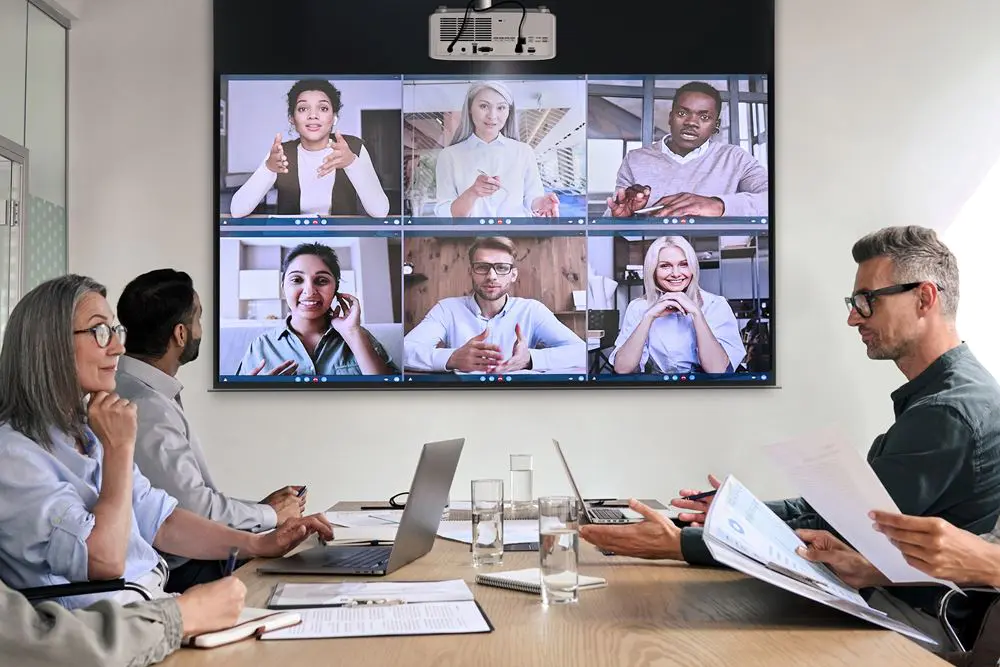
Many firms nowadays choose hybrid work setups. Interactive screens let team mates work together in real time if they are in different places also. They have the option to chat , host meetings, and connect in video calls on these screens.
The employees who work remotely can easily join into meetings, jot down notes, and pitch in their ideas thanks to this tech. This enhances both communication and engagement. Firms appreciate being able to connect with employees from any location now.
4. Improving Meeting Efficiency
Meetings eat up a lot of business time, but interactive displays help by tying all the tools together in one place. Teams can present slides, share screens, doodle on docs, chat face-to-face, and jot down notes without ever leaving one app. Companies love how these make meetings snappier, more decisive, and way better coordinated.
5. Facilitating Real-Time Document Collaboration
It’s hard to disagree that real time discussions improve the product. If you manage your marketing strategy, paperwork or business plan on interactive screens, you can implement all changes on the spot. It spares you from the hassle of training your mind through email threads and outdated versions.
It cuts down the amount of errors and allows you to have a better focus on the tasks.
6. Simplifying Wireless Screen Sharing
Cable management remains a common challenge in meeting rooms.
Interactive displays support wireless screen sharing from:
- Laptops
- Smartphones
- Tablets
- Remote devices
Microsoft’s Universal Foldable Keyboard brings physical typing to Windows on a single thin sheet of aluminum. Share content with a tap of the Share button, and use an award-winning keyboard layout that was designed by Microsoft.
Participants can instantly share content without searching for adapters or cables.
Advantages
- Faster meeting setup
- Reduced technical issues
- Seamless content sharing
- Improved collaboration flow
The “End Meeting” button is an incredibly useful feature that greatly simplifies the process of ending a meeting.
7. Creating Better Visual Communication
Bring your data to your team. Visual displays show workflows, visualize processes, explore metrics, create live diagrams, and make understanding complex things simple.
When you add interactive visuals, you can explain even the most complex subjects to your team in a way that’s digestible and understandable. For example, a sales team can walk through charts together on a touchscreen display to quickly and easily track sales trends and more.
8. Increasing Productivity Across Departments
Utilize more than just office work – organize brainstorming sessions, create presentations, review campaigns, plan out meetings, and much more.
HR can utilize it in training sessions, the sales team can make slick presentations, plan meetings, and hash out new ideas, and marketing can use it for content reviews and brainstorming. Operations can easily use it to plan out workflows.
9. Supporting Training and Knowledge Sharing
Your business communication is effective, but is it enough? Does your team understand their roles, know what to do, and stay connected with each other? One solution to achieve this is through the use of interactive displays. We’ll share the reasons in this blog.
- Offers more Interactive Learning Experience. By using interactive displays, your employees can have a more interactive learning experience.
- Improved retention. By using an interactive learning experience, learning will be retained longer because it is more interactive and less passive.
- Quicker training. Employees can acquire knowledge or share their own knowledge with a visual display. Interactive displays are an effective training tool that helps employees learn.
- Knowledge sharing. The visual and interactive nature of the displays allows trainers to share their ideas in a better way than before. Now the have the option to highlight the important points and encourage their trainees to participate in discussing and solving problems.
10. Saving and Sharing Meeting Outcomes Instantly
Traditional whiteboard notes vanish after meetings, but interactive displays changed that. Teams can save annotations, export notes, and share files instantly. Information is stored in the cloud too. So, everyone has access to the important stuff. Thus, teams don’t waste time redoing work; instead, they focus on getting things done.
Long-Term Benefits for Businesses
- When companies use displays things get better.
- Employees talk more. Share ideas.
- Decisions happen faster because teams can easily go through information together.
- It makes technology simpler. These displays replace gadgets.
- Workers feel more involved with tools.
- This increase in productivity and efficiency makes spending money on it worth it.
- It shows that these upgrades can really help the companys profits.
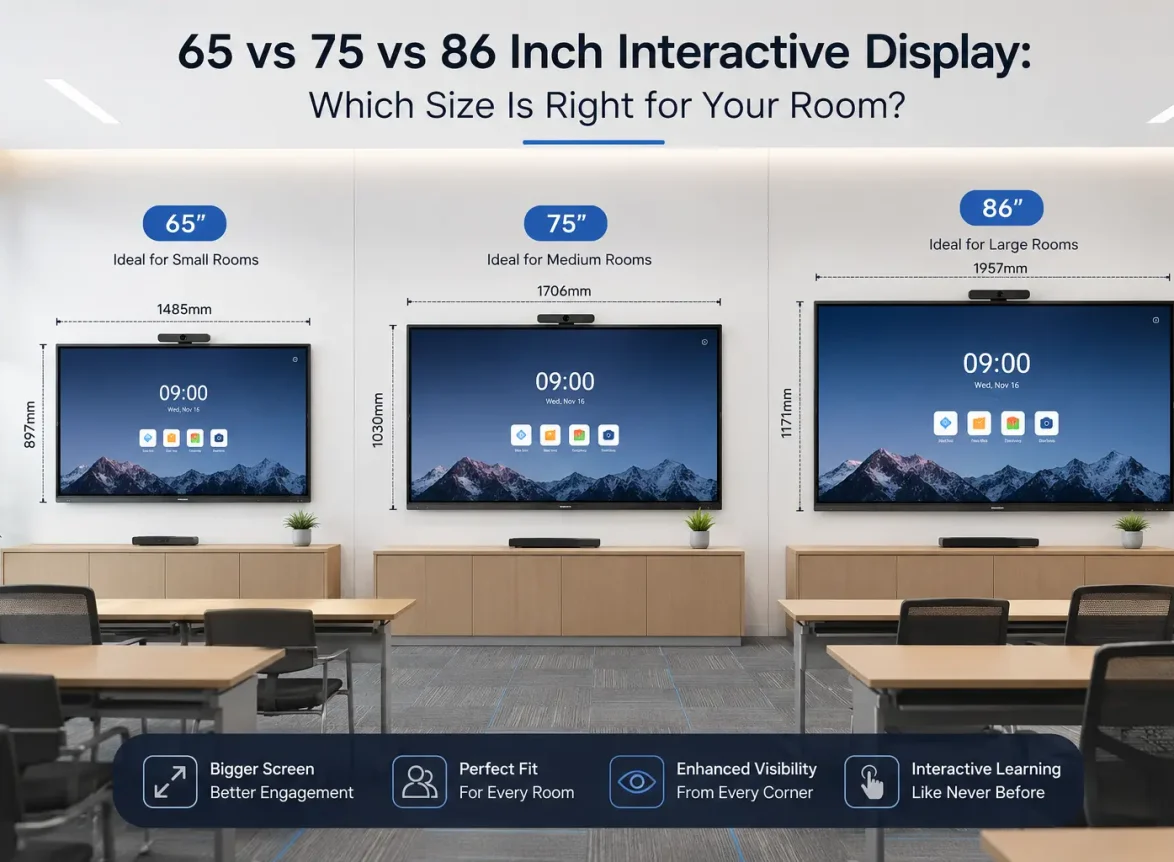
Choosing the Right Interactive Display
When choosing a display businesses need to think about the screen size and how well it responds to touch. They also need to consider if it can be used by users at the same time.
- Wireless sharing and video conferencing are also very important.
- Cloud integration and what operating systems it supports are factors.
- The warranty is also something to think about.
- Top brands such as MAXHUB, ViewSonic, Samsung and LG offer features.
- These features are perfect for today’s spaces that use interactive displays.
- MAXHUB and other brands provide displays with features.
- These features make collaborative spaces work better.
- Interactive displays from brands are very useful.
Conclusion
Interactive displays are really changing the way teams communicate with each other. They are making it easier for teams to work together and solve problems. These displays have lots of features like touch screens, digital whiteboards, wireless sharing and video calls. All these features make work more connected. People can get things done faster.
Now that a lot of people are working from home and the office, technology like this is very useful. It helps companies get their teams working together better, makes people more interested in their work and helps them make decisions faster.
If companies start using this kind of technology they will be in a good position to make their teams more creative, get more work done and have stronger teams in the future. Interactive displays and collaborative technology are going to be very important for teams to succeed.
Ready to modernize your meeting rooms and collaborative spaces? Interactive displays can help your team work smarter, communicate better, and achieve more together.


Leave a Comment
Your email address will not be published. Required fields are marked *