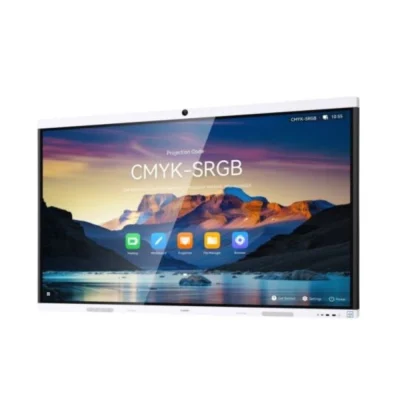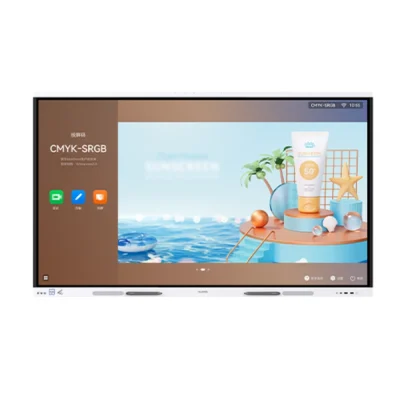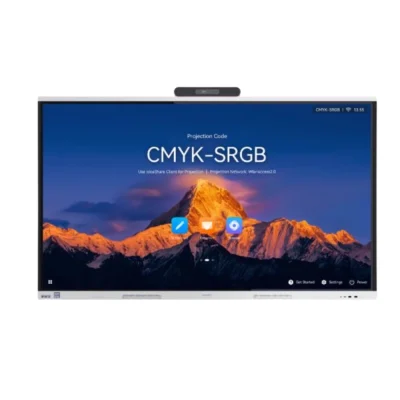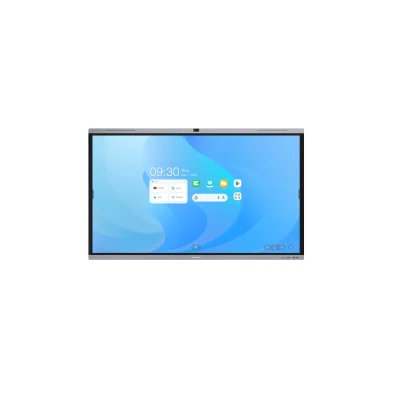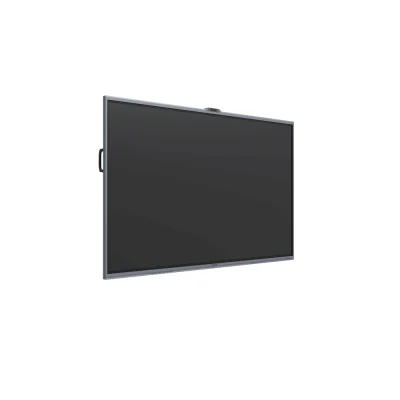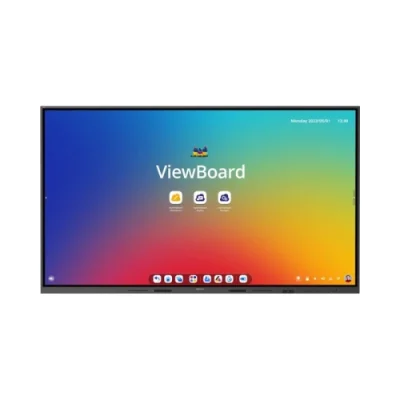
Interactive Displays for Meeting Rooms in UAE
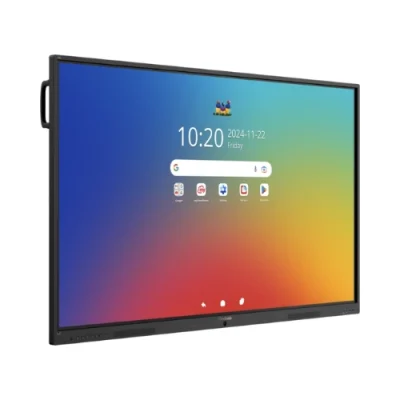
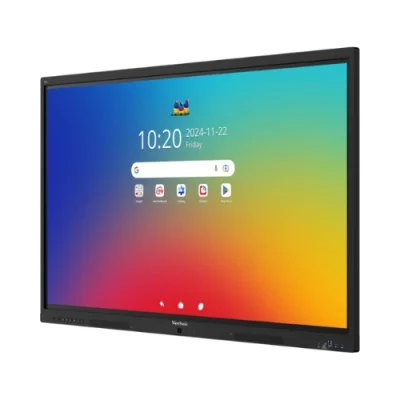
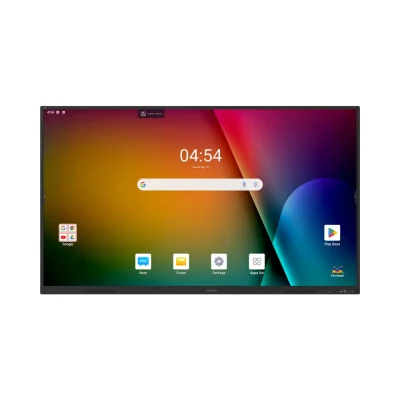
Make meetings more collaborative with interactive displays for meeting rooms from Xplus Digital. These professional touchscreen displays allow teams to present, write, annotate, brainstorm, share content and collaborate directly on the screen.
Unlike a conventional meeting-room display that is mainly used for viewing presentations, an interactive display allows participants to actively work with the content. Depending on the model, features can include multi-touch interaction, digital whiteboarding, wireless screen sharing, annotation, USB-C connectivity and integration with video-conferencing equipment.
Xplus Digital supplies interactive meeting-room displays from leading brands including MAXHUB, Huawei, ViewSonic and Yealink, with options suitable for huddle rooms, corporate meeting rooms, boardrooms and larger collaboration spaces. Your current catalogue already includes MAXHUB XBoard, U-Series, Huawei IdeaHub and Yealink MeetingBoard models.
What Is an Interactive Display for a Meeting Room?
An interactive display for a meeting room is a large touchscreen display designed to combine presentation, collaboration and digital whiteboarding in a business environment.
Instead of connecting a laptop and simply displaying a presentation, participants can interact directly with the content.
Depending on the model, users can:
- Write directly on the screen
- Annotate presentations
- Draw diagrams
- Brainstorm ideas
- Create digital whiteboards
- Share laptop screens
- Connect mobile devices
- Review documents
- Collaborate with remote participants
- Conduct video meetings with compatible equipment
This makes an interactive display particularly useful for meetings where participants need to contribute, discuss and create, rather than simply watch a presentation.
Why Use an Interactive Display in a Meeting Room?
Traditional meeting rooms often rely on a display, laptop and separate whiteboard. An interactive display can bring several of these functions together.
1. Make Presentations Interactive
Presenters can move beyond static slides by writing, highlighting and annotating information directly on the display.
2. Collaborate on a Digital Whiteboard
Teams can brainstorm, draw workflows, create diagrams and develop ideas without relying on a physical whiteboard.
3. Improve Team Participation
Participants can contribute directly to the screen, helping meetings become more collaborative.
4. Share Content Wirelessly
Compatible systems allow users to share presentations and other content from laptops, tablets and smartphones.
5. Support Hybrid Meetings
Interactive displays can be combined with cameras, microphones and speakers for meetings involving remote participants.
6. Reduce Equipment Clutter
A suitable interactive display can combine presentation, touchscreen collaboration and whiteboarding functions in one device.
Interactive Meeting Room Display Features
Touchscreen Collaboration
Touch interaction is the core difference between an interactive meeting display and a conventional screen.
Participants can use their fingers or compatible pens to:
- Write
- Draw
- Highlight
- Move objects
- Annotate documents
- Interact with applications
Multi-touch capability on supported models can allow several users to interact with the display at the same time.
Digital Whiteboarding
Digital whiteboarding is particularly useful for business meetings.
Teams can use an interactive display to:
- Brainstorm
- Create mind maps
- Draw process diagrams
- Plan projects
- Map workflows
- Record meeting ideas
- Annotate presentations
- Develop strategies
Instead of writing ideas on a physical whiteboard and taking photographs afterward, supported systems can allow digital content to be saved and shared.
Wireless Screen Sharing
Wireless screen sharing makes it easier for employees to present from their own devices.
Depending on the display and sharing solution, users may be able to share:
- Laptops
- Smartphones
- Tablets
- Windows PCs
- Mac computers
This is especially useful in meeting rooms where several people need to present during the same meeting.
Xplus Digital’s existing interactive-display range includes dedicated wireless collaboration accessories such as the MAXHUB WB05 and WT13M.
Interactive Displays for Video Conferencing
Interactive displays can become the visual centre of a hybrid meeting room when combined with compatible conferencing equipment.
A typical setup can include:
Interactive Display + Camera + Microphones + Speakers + Conferencing Platform
Depending on the selected system, the setup may support platforms such as:
- Microsoft Teams
- Zoom
- Google Meet
- Other compatible conferencing applications
The exact compatibility depends on the display, operating system, connected PC and conferencing hardware.
Yealink MeetingBoard models in your catalogue are particularly relevant where the requirement includes meeting-room collaboration and conferencing.
Interactive Displays for Boardrooms
Executive boardrooms require more than a screen for presentations.
An interactive boardroom display can help management teams:
- Review reports
- Present business strategies
- Annotate documents
- Analyse dashboards
- Brainstorm
- Review project plans
- Conduct hybrid meetings
- Share information with remote participants
For boardrooms, screen size should be selected according to viewing distance and seating arrangement.
Interactive Displays for Conference Rooms
For medium and large conference rooms, an interactive display can act as the central collaboration screen.
Teams can use it for:
- Presentations
- Project discussions
- Digital whiteboarding
- Video conferencing
- Remote collaboration
- Document review
- Training sessions
- Client presentations
An appropriate camera and audio system can be added where video conferencing is required.
Interactive Displays for Huddle Rooms
Small huddle rooms need technology that is fast and easy to use.
A 65-inch interactive meeting room display can be suitable for many smaller collaboration spaces, depending on room dimensions and viewing distance.
Typical uses include:
- Quick team meetings
- Stand-up discussions
- Brainstorming
- Wireless presentations
- Remote calls
- Project updates
Interactive Displays for Project Rooms
Project teams often need to work with information rather than simply present it.
Interactive displays can support project rooms where teams need to:
- Review plans
- Draw workflows
- Compare documents
- Discuss project schedules
- Create visual diagrams
- Brainstorm solutions
- Present progress reports
This is a strong use case for touchscreen collaboration because participants can work directly with visual information.
65-Inch, 75-Inch & 86-Inch Interactive Displays
Choosing the correct screen size depends on the meeting-room dimensions and viewing distance.
65-Inch Interactive Displays
Suitable for:
- Huddle rooms
- Small meeting rooms
- Small collaboration spaces
75-Inch Interactive Displays
Suitable for:
- Medium meeting rooms
- Corporate collaboration rooms
- Team presentation spaces
86-Inch Interactive Displays
Suitable for:
- Large meeting rooms
- Conference rooms
- Boardrooms
- Larger collaboration spaces
Xplus Digital currently offers interactive displays across these sizes from brands including Huawei, MAXHUB and other professional display manufacturers.
Interactive Display vs Standard Meeting Room Display
This section is important because it clearly differentiates this page from your Meeting Room Displays UAE page.
| Feature | Interactive Meeting Room Display | Standard Meeting Room Display |
|---|---|---|
| Touch interaction | Yes, on supported models | Usually no |
| Digital whiteboard | Built in/on supported systems | Usually requires separate solution |
| Annotation | Yes | Limited |
| Multi-touch | Available on supported models | No |
| Wireless presentation | Supported on compatible models | Depends on system |
| Brainstorming | Designed for it | Limited |
| Document interaction | Yes | Mainly viewing |
| Video conferencing | Compatible with selected systems | Requires appropriate equipment |
| Collaboration | Core function | Primarily presentation |
Which should you choose?
Choose an interactive meeting room display when your team needs to:
- Brainstorm
- Annotate
- Whiteboard
- Collaborate
- Present interactively
- Work directly on documents
A standard meeting-room display may be sufficient when the primary requirement is simply displaying presentations or video content.
Key Features to Look for in an Interactive Meeting Room Display
4K UHD Resolution
High-resolution displays provide clear text, spreadsheets, presentations and video content.
Multi-Touch
Multi-touch enables more than one participant to interact with the screen on supported models.
Digital Annotation
Participants can write and highlight information directly over presentations and documents.
Wireless Presentation
Wireless sharing reduces the need for physical connections when presenting from compatible devices.
USB-C Connectivity
USB-C can provide convenient connectivity for compatible laptops and devices.
HDMI
HDMI remains useful for wired connections to laptops, computers and other AV equipment.
Built-In Speakers
Integrated speakers can simplify installations, particularly in smaller rooms.
Camera Integration
For hybrid meetings, the display can be paired with compatible conference cameras.
Microphone Integration
Professional microphones can be added for clearer voice pickup during video meetings.
Interactive Meeting Room Display Brands
Xplus Digital’s current interactive-display catalogue includes several brands suitable for business collaboration.
MAXHUB Interactive Displays
MAXHUB offers interactive flat panels and all-in-one conference displays designed for collaboration environments.
Relevant products in your catalogue include:
- MAXHUB U6540
- MAXHUB U7540
- MAXHUB U8640
- MAXHUB XBoard V7 V6550
- MAXHUB XBoard V7 V7550
- MAXHUB XBoard V7 V8650
Your catalogue currently lists these products with meeting-room and interactive-display classifications.
Huawei IdeaHub
Huawei IdeaHub displays are designed for business collaboration and interactive communication.
Your catalogue includes:
- Huawei IdeaHub B3 65″
- Huawei IdeaHub B3 75″
- Huawei IdeaHub B3 86″
- Huawei IdeaHub S3 65″
- Huawei IdeaHub S3 75″
- Huawei IdeaHub S3 86″
Yealink MeetingBoard
Yealink MeetingBoard is particularly relevant for organizations looking for a meeting-focused collaboration and conferencing solution.
Your current catalogue includes:
- Yealink MeetingBoard MB65Pro
- Yealink MeetingBoard MB75Pro
- Yealink MeetingBoard MB86Pro
ViewSonic Interactive Displays
ViewSonic ViewBoard interactive displays can also be considered for business collaboration environments. Your catalogue includes ViewBoard IFP models such as the IFP35-1, IFP41-1 and IFP110.
Interactive Meeting Room Display Price in UAE
The price of an interactive meeting room display in UAE depends on several factors.
The main factors include:
- Screen size
- Display resolution
- Touch technology
- Number of touch points
- Processor
- RAM and storage
- Operating system
- Wireless presentation features
- USB-C connectivity
- Built-in audio
- Camera compatibility
- Brand
- Installation requirements
For example, Xplus Digital currently lists MAXHUB interactive models at different price points, including 65″, 75″ and 86″ options.
For a business requirement, it is better to compare the complete meeting-room requirement rather than choosing a display based only on screen price.
How to Choose the Right Interactive Display for Your Meeting Room
1. Measure the Room
Consider viewing distance and seating arrangement before selecting screen size.
2. Determine the Number of Participants
Larger groups generally require larger displays.
3. Decide How the Display Will Be Used
Ask whether your team mainly needs:
- Presentations
- Whiteboarding
- Brainstorming
- Video conferencing
- Document collaboration
- Wireless presentation
4. Check Touch Requirements
If multiple users need to interact with the screen, look for suitable multi-touch specifications.
5. Check Device Compatibility
Make sure the display supports the laptops and mobile devices used by your employees.
6. Consider Video Conferencing
If hybrid meetings are important, plan the camera, microphone, speaker and software requirements together with the display.
7. Plan Installation
Consider wall mounting, mobile stands, cable management, power and connectivity before installation.
Complete Interactive Meeting Room Solutions
An interactive display is only one part of a modern collaboration environment.
Xplus Digital can help businesses combine the display with:
Visual Collaboration
- Interactive display
- Digital whiteboard
- Wireless presentation
Video
- Conference camera
- PTZ camera
- Video bar
Audio
- Conference microphones
- Speakers
- Soundbars
Connectivity
- HDMI
- USB-C
- Wireless screen sharing
- Network connectivity
Installation
- Wall mounting
- Mobile trolley
- Cable management
- AV integration
Xplus Digital provides AV consultation, product demonstrations, installation and integration services for business environments across the UAE.
Interactive Display Installation in Dubai & UAE
The installation of an interactive meeting-room display should consider both screen positioning and the equipment connected to it.
Xplus Digital can assist with:
- Interactive display installation
- Wall mounting
- Mobile stand installation
- Cable management
- Camera installation
- Microphone installation
- Speaker integration
- Wireless presentation setup
- AV system integration
Services are available across Dubai and the wider UAE.
Why Choose Xplus Digital for Interactive Meeting Room Displays?
Xplus Digital provides professional AV equipment and installation services for businesses and organizations in the UAE.
You can get support with:
- Display selection
- Screen-size recommendations
- Product comparisons
- Live product demonstrations
- Meeting-room AV design
- Interactive display installation
- Video conferencing integration
- Technical support
The company currently promotes product consultation, live demonstrations, AV installation and after-sales support as part of its AV offering.
Frequently Asked Questions
What is an interactive display for a meeting room?
An interactive meeting-room display is a large touchscreen designed for presentations, digital whiteboarding, annotation and team collaboration.
What is the difference between an interactive display and a normal meeting-room screen?
An interactive display allows participants to touch, write, annotate and interact with content directly. A conventional display is primarily intended for viewing.
Can an interactive display be used as a digital whiteboard?
Yes. Compatible interactive displays include digital whiteboarding functionality that allows users to write, draw and brainstorm directly on the screen.
Can multiple people use an interactive display at the same time?
Selected interactive displays support multi-touch interaction, allowing multiple participants to interact with the screen simultaneously.
Can I share my laptop screen wirelessly?
Yes, compatible interactive displays and wireless presentation systems can allow users to share content wirelessly.
Can interactive displays work with Microsoft Teams and Zoom?
Compatible interactive displays can be integrated with Microsoft Teams, Zoom and other video-conferencing platforms. The exact setup depends on the model and connected conferencing equipment.
What size interactive display is best for a meeting room?
65-inch displays can suit smaller meeting rooms, while 75-inch and 86-inch displays are often considered for medium and larger rooms. The correct size depends on viewing distance and room layout.
Are interactive displays suitable for boardrooms?
Yes. Large interactive displays can support presentations, digital whiteboarding, document annotation and collaboration in executive boardrooms.
Can an interactive display be wall mounted?
Yes. Many interactive displays support wall mounting, while mobile trolley solutions can be used when the display needs to be moved.
How much does an interactive meeting-room display cost in UAE?
Pricing varies according to screen size, brand, resolution, touch technology, collaboration features and conferencing requirements.