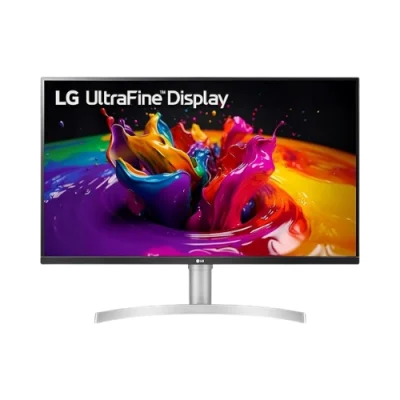
Product details
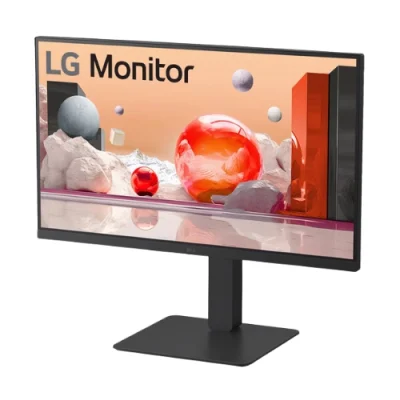
LG 24BP750C-B Full HD IPS Monitor with Built-in Full HD Webcam
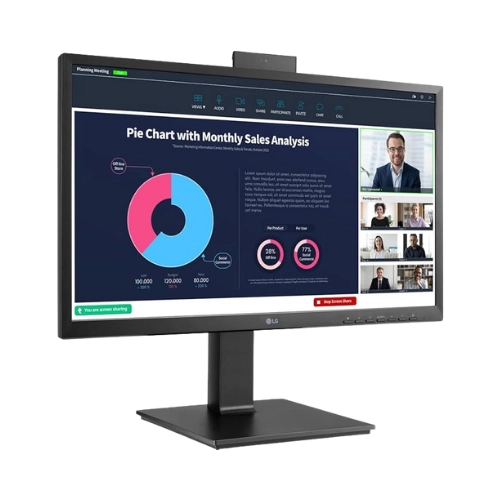
The LG 24BP750C-B Full HD IPS Monitor with Built-in Full HD Webcam from LG Electronics is designed for professional workspaces, remote collaboration, and business productivity. Featuring a 23.8-inch Full HD IPS display, USB-C connectivity, and a built-in pop-up webcam with microphone, this monitor provides an all-in-one solution for modern offices and hybrid work environments.
23.8″ Full HD IPS Display with Accurate Colors
The LG 24BP750C-B features a 23.8-inch Full HD (1920 x 1080) IPS display that delivers accurate colors and consistent image quality from wide viewing angles. IPS technology enhances color reproduction and ensures clear visuals for office work, presentations, and collaboration.
Built-in Full HD Webcam & Microphone
The LG 24BP750C-B monitor comes with a pop-up Full HD webcam and integrated microphone, making it ideal for:
- Video conferencing
- Remote meetings
- Online training
- Hybrid work environments
The pop-up webcam design also enhances privacy and security when not in use.
USB-C Connectivity with 65W Power Delivery
The USB Type-C™ port provides seamless connectivity and productivity with a single cable:
- Display output
- Data transfer
- Device charging up to 65W
This simplifies desk setup and reduces cable clutter.
Multiple Ports for Flexible Connectivity
The LG 24BP750C-B includes a wide range of ports for easy connectivity:
- HDMI
- DisplayPort
- USB 3.0
- USB Type-C
- RJ45 (Ethernet)
- Headphone Out
These connectivity options make it suitable for modern office setups and business environments.
Reader Mode & Flicker Safe for Eye Comfort
The Reader Mode reduces blue light and adjusts color temperature for comfortable reading.
Flicker Safe technology minimizes screen flickering to reduce eye strain during long working hours.
Ergonomic Design for Comfortable Work
The LG 24BP750C-B features an ergonomic stand with:
- Height adjustment
- Tilt adjustment
- Swivel support
- Pivot rotation
This ensures comfortable viewing and improved productivity.
OnScreen Control for Easy Management
The OnScreen Control feature allows users to easily customize display settings and split the screen for better multitasking and workflow efficiency.