Contact Us Today for Special Pricing and Personalized Discount
buy charging cabinets at best price from Av Supplier

The Benefits of Using Charging Cabinets in Educational Institutions

From interactive whiteboards to tablets and laptops, schools and colleges are increasingly relying on electronic devices to enhance learning experiences. However, with the growing use of technology comes the challenge of managing and charging these devices efficiently. This is where charging cabinets come into play. Charging cabinets are not just a convenience; they are a necessity for modern educational institutions. In this blog, we’ll explore the numerous benefits of using charging cabinets in schools, colleges, and other educational settings. By the end, you’ll understand why investing in charging cabinets is a smart move for any institution looking to streamline device management and improve the overall learning environment.
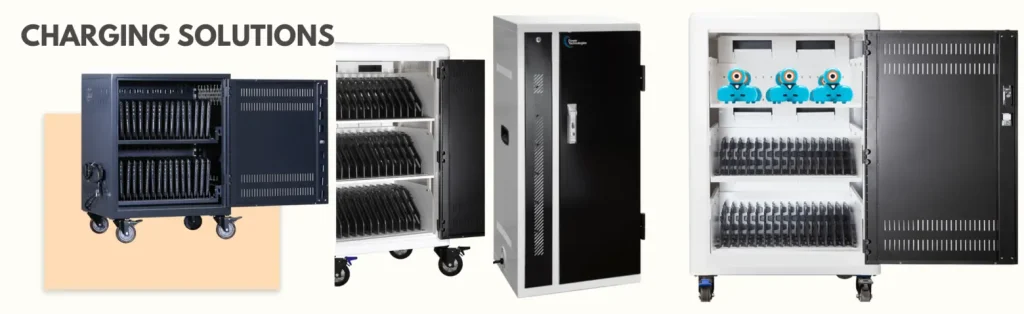
charging cabinets for education from best Av equipment's supplier in Dubai

What Are Charging Cabinets?

Before diving into the benefits, let’s first understand what charging cabinets are. Charging cabinets, also known as charging stations or charging carts, are secure storage units designed to charge multiple electronic devices simultaneously. They come equipped with built-in power outlets, USB ports, and sometimes even advanced features like surge protection, cooling fans, and smart charging technology. These cabinets are specifically designed to store and charge devices such as tablets, laptops, Chromebooks, and smartphones, making them ideal for educational institutions where multiple devices are used daily.

The Benefits of Using Charging Cabinets in Educational Institutions

1. Efficient Device Management

One of the biggest challenges in educational institutions is managing a large number of devices. Without a proper system, devices can get misplaced, damaged, or left uncharged. Charging cabinets provide a centralized location for storing and charging devices, making it easier for teachers and administrators to keep track of them. This ensures that devices are always ready for use, reducing downtime and improving productivity.

  • Centralized Storage: All devices are stored in one place, making it easy to distribute and collect them.
  • Organized Setup: Charging cabinets often come with labeled slots or compartments, ensuring that each device has its designated space.

2. Enhanced Security

Electronic devices are valuable assets, and their security is a top priority for educational institutions. Charging cabinets are designed with security features such as lockable doors, durable construction, and tamper-proof locks. This prevents theft and unauthorized access, giving educators peace of mind.

  • Theft Prevention: Lockable cabinets deter students or outsiders from stealing devices.
  • Controlled Access: Only authorized personnel can access the devices, ensuring accountability.

3. Improved Device Longevity

Proper storage and charging are essential for maintaining the lifespan of electronic devices. Charging cabinets are equipped with features like surge protection and temperature control, which protect devices from electrical damage and overheating. This helps extend the life of the devices, saving institutions money in the long run.

  • Surge Protection: Protects devices from power surges that can cause irreparable damage.
  • Temperature Control: Prevents overheating, which can degrade battery life and performance.

4. Space Optimization

Educational institutions often struggle with limited space. Charging cabinets are compact and designed to fit into classrooms, labs, or storage rooms without taking up too much space. Their vertical design allows them to store a large number of devices in a small footprint.

  • Compact Design: Ideal for schools with limited space.
  • Portable Options: Some charging cabinets come with wheels, making them easy to move between classrooms.

5. Time-Saving

Manually charging devices can be a time-consuming task, especially when dealing with a large number of them. Charging cabinets automate the charging process, allowing multiple devices to charge simultaneously. This saves time for teachers and IT staff, who can focus on more important tasks.

  • Simultaneous Charging: Charge up to 20-40 devices at once, depending on the cabinet size.
  • Quick Access: Devices are always ready for use, eliminating the need for last-minute charging.

6. Promotes Digital Learning

Charging cabinets support the integration of technology into the classroom by ensuring that devices are always charged and ready to go. This encourages teachers to incorporate digital tools into their lessons, enhancing the learning experience for students.

  • Seamless Integration: Devices are always available for interactive lessons, research, and assignments.
  • Encourages Innovation: Teachers can experiment with new teaching methods and digital resources.

7. Cost-Effective Solution

While the initial investment in charging cabinets may seem high, they are a cost-effective solution in the long run. By protecting devices, reducing the need for replacements, and improving efficiency, charging cabinets help institutions save money over time.

  • Reduced Replacement Costs: Fewer devices are lost, stolen, or damaged.
  • Lower Maintenance Costs: Proper charging and storage reduce wear and tear on devices.

8. Eco-Friendly Charging

Many modern charging cabinets are designed with energy-efficient features, such as smart charging technology that stops charging once devices are fully charged. This reduces energy consumption and contributes to a greener environment.

  • Energy Efficiency: Smart charging technology minimizes energy waste.
  • Sustainability: Supports eco-friendly initiatives in educational institutions.

9. Customizable Options

Charging cabinets come in various sizes and configurations, allowing institutions to choose the one that best suits their needs. Whether you need a small cabinet for a single classroom or a large one for an entire school, there’s a charging solution for every requirement.

  • Scalable Solutions: Choose cabinets based on the number of devices and available space.
  • Custom Features: Some cabinets offer additional features like Wi-Fi syncing or device diagnostics.

10. Compliance with Safety Standards

Safety is a top priority in educational institutions. Charging cabinets are designed to meet safety standards, ensuring that they are safe for both students and staff. Features like fire-resistant materials, secure wiring, and ventilation systems make them a reliable choice.

  • Fire Safety: Built with materials that resist fire and overheating.
  • Child Safety: Secure locks and durable construction prevent accidents.

How to Choose the Right Charging Cabinet for Your Institution

When selecting a charging cabinet, consider the following factors:

  1. Capacity: Determine how many devices you need to charge and store.
  2. Portability: Decide if you need a stationary cabinet or one with wheels for mobility.
  3. Security Features: Look for lockable doors and durable construction.
  4. Charging Technology: Opt for cabinets with smart charging and surge protection.
  5. Budget: Choose a cabinet that offers the best value for your budget.

Conclusion

Charging cabinets are a game-changer for educational institutions. They offer a wide range of benefits, from efficient device management and enhanced security to improved device longevity and cost savings. By investing in charging cabinets, schools and colleges can create a more organized, secure, and productive learning environment. As technology continues to play a vital role in education, charging cabinets will become an essential tool for institutions looking to stay ahead of the curve.

Whether you’re a school administrator, teacher, or IT professional, it’s time to consider how charging cabinets can transform your institution. With their numerous advantages, they are not just a convenience but a necessity for modern education. So, take the first step toward a more efficient and secure learning environment by exploring the options available in charging cabinets today.

Projectors

4K Projectors vs. 1080p Projectors: Which One Should You Choose?

4K Projectors vs 1080p Projectors

When it comes to creating a home theater experience, the choice of a projector can make or break your setup. With the rise of 4K technology, many people are wondering whether it’s worth upgrading from a 1080p projector or if sticking with the tried-and-true Full HD option is still the way to go. In this blog, we’ll dive deep into the differences between 4K and 1080p projectors, their pros and cons, and help you decide which one is the best fit for your needs. Whether you’re a movie buff, a gamer, or just someone who loves a big-screen experience, this guide will give you all the information you need to make an informed decision.

Projectors

What’s the Difference Between 4K and 1080p Projectors?

Before we compare the two, let’s break down what 4K and 1080p actually mean.

1080p Projectors

  • Resolution: 1920 x 1080 pixels (Full HD)
  • Pixel Count: Approximately 2 million pixels
  • Image Quality: Sharp and detailed, especially on smaller screens or when viewed from a distance.

4K Projectors

  • Resolution: 3840 x 2160 pixels (Ultra HD)
  • Pixel Count: Approximately 8 million pixels (four times more than 1080p)
  • Image Quality: Incredibly sharp, with finer details and more vibrant colors, even on larger screens.

The key difference lies in the resolution and pixel density. 4K projectors offer four times the number of pixels as 1080p projectors, resulting in a much clearer and more detailed image. But does that mean 4K is always the better choice? Let’s explore further.

Pros and Cons of 4K Projectors

Pros:

  1. Superior Image Quality: The most obvious advantage of 4K projectors is the stunning image quality. With four times the pixels of 1080p, the picture is sharper, more detailed, and more lifelike.
  2. Future-Proofing: As more content is produced in 4K, having a 4K projector ensures you’re ready for the latest movies, shows, and games.
  3. Larger Screen Sizes: 4K projectors shine when used on larger screens (100 inches or more). The higher resolution ensures the image remains crisp even at bigger sizes.
  4. Enhanced Color and Contrast: Many 4K projectors come with advanced color technologies like HDR (High Dynamic Range), which improves color accuracy and contrast.
  5. Immersive Experience: Whether you’re watching a movie or playing a game, the level of detail in 4K makes the experience more immersive.

Cons:

  1. Higher Cost: 4K projectors are significantly more expensive than 1080p models. You’ll need to budget accordingly.
  2. Content Availability: While 4K content is growing, not all movies, shows, or games are available in 4K yet.
  3. Hardware Requirements: To fully enjoy 4K, you’ll need a compatible source (like a 4K Blu-ray player or streaming device) and high-quality HDMI cables.
  4. Diminishing Returns on Smaller Screens: If you’re using a smaller screen (under 100 inches), the difference between 4K and 1080p may not be as noticeable.

Pros and Cons of 1080p Projectors

Pros:

  1. Affordability: 1080p projectors are much more budget-friendly, making them a great option for those who don’t want to break the bank.
  2. Wide Availability of Content: Almost all movies, shows, and games are available in 1080p, so you’ll never run out of things to watch.
  3. Ease of Use: 1080p projectors are simpler to set up and don’t require additional hardware like 4K-compatible devices.
  4. Great for Smaller Screens: If you’re using a screen under 100 inches, a 1080p projector will still deliver a sharp and enjoyable image.
  5. Lower Bandwidth Requirements: Streaming 1080p content requires less internet bandwidth compared to 4K, which is ideal for those with slower connections.

Cons:

  1. Lower Resolution: The image quality, while good, doesn’t match the sharpness and detail of 4K.
  2. Less Future-Proof: As 4K becomes the standard, 1080p projectors may start to feel outdated.
  3. Limited for Large Screens: On screens larger than 100 inches, the lower resolution of 1080p can result in a less crisp image.

Key Factors to Consider When Choosing Between 4K and 1080p

1. Screen Size

  • If you’re planning to use a screen larger than 100 inches, a 4K projector is the better choice. The higher resolution ensures the image remains sharp and detailed.
  • For smaller screens, a 1080p projector may be sufficient, as the difference in resolution won’t be as noticeable.

2. Viewing Distance

  • The closer you sit to the screen, the more you’ll benefit from a 4K projector. The extra detail becomes more apparent at shorter distances.
  • If you sit farther away, the difference between 4K and 1080p may not be as noticeable.

3. Budget

  • 4K projectors are more expensive, not just in terms of the projector itself but also the additional hardware (like 4K-compatible devices) you may need.
  • If you’re on a tight budget, a 1080p projector offers excellent value for money.

4. Content Preferences

5. Room Lighting

  • Both 4K and 1080p projectors perform best in a dark room. However, some 4K projectors come with better brightness and contrast ratios, making them slightly more versatile in rooms with ambient light.

4K vs. 1080p: Which One is Right for You?

Choose a 4K Projector If:

  • You want the best possible image quality.
  • You have a large screen (100 inches or more).
  • You’re a fan of 4K content and want to future-proof your setup.
  • You’re willing to invest in a higher-end device and additional hardware.

Choose a 1080p Projector If:

  • You’re on a budget and want a more affordable option.
  • You have a smaller screen or sit farther away from it.
  • Most of your content is in 1080p.
  • You don’t want to deal with the additional costs and setup of 4K-compatible devices.

Final Thoughts

Both 4K and 1080p projectors have their own strengths and weaknesses, and the right choice depends on your specific needs and preferences. If you’re looking for the ultimate home theater experience and are willing to invest in the latest technology, a 4K projector is the way to go. However, if you’re on a budget or don’t need the extra resolution, a 1080p projector can still deliver an excellent viewing experience.

Ultimately, the decision comes down to how you plan to use your projector, the size of your screen, and your budget. Whichever option you choose, make sure to consider factors like screen size, viewing distance, and content availability to get the most out of your investment.

By following this guide, you’ll be well-equipped to make an informed decision between 4K and 1080p projectors. Whether you’re upgrading your home theater or setting up a new one, understanding the differences between these two technologies will help you create the perfect viewing experience for your needs. Happy watching!


AV Installation

5 Common AV Installation Mistakes and How to Avoid Them

Setting up audio-visual (AV) systems requires careful planning and expertise to ensure seamless performance. However, many businesses and event organizers make common installation mistakes that lead to poor AV quality, connectivity issues, and unnecessary expenses. Here are five common AV installation mistakes and how to avoid them.

1. Poor Cable Management

One of the most overlooked aspects of AV installation is proper cable management. Tangled, exposed, or incorrectly routed cables can lead to signal interference, safety hazards, and an unprofessional look.

How to avoid it: Use cable trays, conduit systems, and color-coded labeling to keep wires organized and protected. Investing in wireless AV solutions can also reduce cable clutter and improve aesthetics.

2. Incorrect Speaker Placement

Placing speakers too close to walls, too far apart, or at the wrong angles can result in poor sound distribution, echoes, and feedback. This is especially problematic in large conference rooms, event spaces, and auditoriums.

How to avoid it: Follow acoustic guidelines and conduct sound testing to determine the best speaker placement for even audio coverage. Using professional-grade audio calibration tools can further enhance the sound experience.

3. Ignoring Room Acoustics

Many businesses invest in high-end AV equipment but fail to account for room acoustics. Hard surfaces can cause sound reflections, while small spaces may lead to distortion. Poor acoustics can make it difficult for attendees to hear presentations, leading to frustration and disengagement.

How to avoid it: Use acoustic panels, carpets, and furniture arrangements to optimize sound quality. Installing soundproofing materials in meeting rooms can help eliminate unwanted noise and create an ideal audio environment.

4. Using Incompatible Equipment

Mixing different brands and outdated technology can cause compatibility issues, affecting system performance and integration. Many AV failures occur when businesses attempt to integrate new technology with older hardware without proper evaluation.

How to avoid it: Choose AV components that are designed to work together and consult with AV professionals for compatibility checks. Investing in a fully integrated AV system from a reputable provider ensures seamless functionality and long-term reliability.

5. Lack of Proper Testing and Training

Many AV issues arise due to insufficient testing before system deployment. Additionally, staff may struggle to operate the system effectively, leading to frequent errors and downtime.

How to avoid it: Conduct thorough pre-installation testing and provide training to users to ensure they understand system functionality. Regular maintenance and software updates should also be scheduled to keep the system running smoothly.

Bonus Tip: Skipping Professional Installation Services

While some businesses attempt a DIY approach to AV installation, professional expertise is crucial for ensuring optimal performance. Improper installation can lead to costly repairs and system failures.

How to avoid it: Work with experienced AV professionals who can design, install, and maintain your AV system according to your business needs.

Conclusion

XplusDigital provides these services, ensuring top-quality AV installation and seamless integration for businesses and events. By avoiding these common AV installation mistakes, companies can enhance their audio-visual experience, improve communication, and ensure smooth operations. Whether it’s cable management, speaker placement, or system compatibility, XplusDigital offers expert solutions to meet all your Top AV Company in Dubai. Our team of professionals ensures that your AV setup is efficient, future-proof, and tailored to your specific requirements. Contact XplusDigital today for reliable and innovative AV solutions.


Projectors for sale in UAE

How to Choose the Best Budget Projector for Your Needs

1. Determine Your Purpose

Before buying a projector, identify its primary use. Are you looking for a home theater experience, a business presentation tool, or an educational setup? Home projectors prioritize high resolution and contrast, while business projectors focus on brightness and connectivity options. If you plan to use the projector outdoors or in a large hall, you’ll need a model with higher lumens and a durable build.

2. Consider Brightness and Resolution

The brightness of a projector, measured in lumens, plays a crucial role in visibility. For well-lit rooms, a projector with at least 3000 lumens is recommended, while for darker rooms, a lower-lumen projector may suffice.

  • Home Theaters: A minimum of 2500 lumens and 1080p resolution ensure a crisp cinematic experience.
  • Business & Classroom Use: 3500-5000 lumens with at least XGA or WXGA resolution is ideal for clear text and visuals.
  • Outdoor & Large Venues: 5000+ lumens with 4K support helps achieve superior image quality even in bright environments.

3. Connectivity and Compatibility

Ensure that the projector has multiple connectivity options like HDMI, USB, VGA, and wireless capabilities to support various devices.

  • Smart projectors with built-in Android OS allow streaming apps like Netflix and YouTube.
  • Wireless projectors support screen mirroring from smartphones and laptops without cables.
  • Gaming projectors should have low input lag and support high refresh rates for smooth gameplay.

4. Portability and Setup

For those who need a projector for travel or outdoor use, a compact and lightweight design is essential. Additionally, features like keystone correction, zoom adjustments, and lens shift help in achieving the perfect screen alignment without hassle. A good tripod or ceiling mount ensures a stable setup and better projection angle.

5. Lamp Life and Maintenance Costs

The lifespan of a projector lamp impacts long-term costs. Most budget projectors have lamp life ranging from 5,000 to 30,000 hours. Laser projectors offer longer life and lower maintenance compared to traditional lamp-based models. Check for easy lamp replacement and dust-proof designs for durability.

6. Budget and Warranty

Compare different brands and models to find the best value for money. Checking the projector price in Dubai from trusted sellers ensures you get a good deal. Budget projectors typically range from AED 800 to AED 5000, depending on features. Also, consider warranty coverage and customer support options for long-term reliability.

Conclusion

smart boards

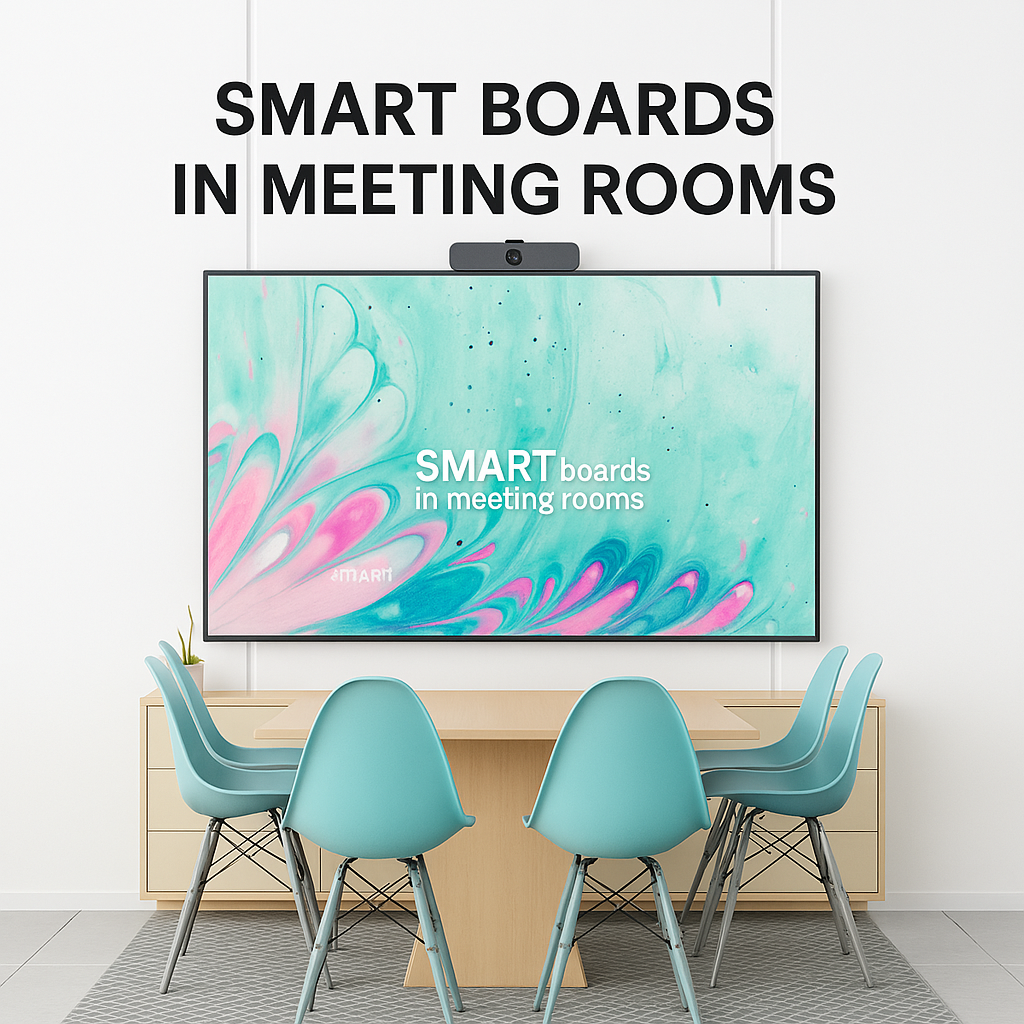
Smart Boards in Meeting Rooms: Enhancing Productivity & Collaboration

In today’s fast-paced business environment, collaboration and clear communication are essential for productivity. That’s where smart boards come into play. These interactive displays are transforming traditional meeting rooms into dynamic, tech-driven spaces where teams can brainstorm, strategize, and present with greater efficiency and engagement.

Key Benefits of Smart Boards in Meeting Rooms

1. Real-Time Collaboration

Smart boards allow multiple team members to interact with content simultaneously, whether they’re in the same room or joining remotely. Edits and annotations happen in real time, making brainstorming sessions more fluid and collaborative.

2. Seamless Integration with Devices

Most smart boards can connect with laptops, tablets, and smartphones, making it easy to share presentations, documents, and ideas instantly. Many also integrate with popular tools like Microsoft Teams, Zoom, and Google Workspace.

3. Enhanced Presentations

Ditch the clicker and static slides. With smart boards, you can interact directly with your content — zoom in, highlight key points, add notes, or switch apps without leaving the screen. This keeps meetings dynamic and engaging.

4. Boosted Productivity

Meetings become more efficient with features like screen recording, instant note sharing, and automatic saving. Teams can quickly recap and follow up without needing separate documentation efforts.

5. Remote Collaboration Made Easy

Smart boards support remote access and video conferencing, allowing teams across locations to work together as if they were in the same room. This is especially powerful for hybrid and remote teams.

Why Businesses in Dubai & UAE Are Embracing Smart Boards

In cities like Dubai, where innovation is at the core of business culture, smart boards are becoming standard in modern offices. From real estate firms and tech startups to educational institutions and government agencies, these tools are enhancing how professionals communicate and collaborate.

Looking for Smart Boards in Dubai & UAE?

XplusDigital offers the latest smart board solutions tailored for business and educational needs — with competitive pricing, expert installation, and ongoing support.

Ready to transform your meeting room into a productivity powerhouse? Get in touch with XplusDigital for the best smart board solutions in Dubai and the UAE.

ipad charging trolley

How to Choose the Right iPad Charging Trolley for Your Institution

As schools, colleges, and training centers continue to embrace digital learning, the need for organized, safe, and efficient device management becomes critical. One of the most practical solutions for institutions managing multiple iPads is an iPad charging trolley. These mobile storage units not only keep devices charged but also help prevent clutter, damage, and loss.

Whether you’re equipping a single classroom or outfitting an entire campus, our charging trolley for iPads can be tailored to your needs with reliable support and fast delivery.

yealink meeting bar

The Role of AI in Modern Meeting Bars: Smart Video Conferencing Essentials

In today’s fast-paced business environment, seamless communication is no longer a luxury — it’s a necessity. With hybrid work models becoming the new normal, organizations are investing in smarter video conferencing solutions to bridge the gap between in-person and remote teams. At the heart of this transformation are AI-powered meeting bars, and leading the way in Dubai and across the UAE is XPlus Digital, offering advanced meeting bars like Yealink to redefine how businesses connect.

What is a Meeting Bar?

A meeting bar is an all-in-one video conferencing device that integrates a high-definition camera, microphones, speakers, and smart software into a single sleek unit. Designed to minimize cable clutter and simplify installation, meeting bars are ideal for huddle rooms, conference rooms, and hybrid workspaces.

How AI is Transforming Video Conferencing

Modern meeting bars aren’t just about hardware — they’re powered by sophisticated Artificial Intelligence (AI) features that enhance collaboration and ensure every meeting runs smoothly. Here’s how AI is changing the game:

Auto-Framing & Speaker Tracking

AI-powered cameras automatically detect participants in the room, adjusting the frame to ensure everyone stays visible. Speaker tracking follows the active speaker, delivering a dynamic, engaging experience for remote attendees.

Intelligent Noise Cancellation

Advanced AI algorithms filter out background noise — from typing to air conditioning hum — so your voice remains clear and crisp during meetings.

Smart Content Sharing

AI streamlines screen sharing and content recognition, ensuring presentations, documents, and videos display smoothly without interruptions.

Adaptive Lighting & Exposure Control

AI sensors adjust the camera settings based on room lighting, so participants always appear well-lit, even in dim or overly bright conditions.

Why AI-Driven Meeting Bars Are Essential for Modern Businesses

Enhanced Productivity: No more manual adjustments during meetings — AI handles the tech, letting teams focus on discussions.

Professional Meeting Experience: Deliver boardroom-quality audio and video, making every virtual meeting feel like you’re in the same room.

Future-Proof Investment: With AI capabilities constantly evolving, businesses can enjoy regular updates and new features without hardware upgrades.

Where to Buy AI-Powered Meeting Bars in Dubai & UAE

If you’re looking to upgrade your conference rooms or hybrid workspaces, XPlus Digital is your trusted partner in the UAE. We provide cutting-edge video conferencing solutions, including the highly acclaimed Yealink Meeting Bars, known for their AI-driven performance and seamless integration with platforms like Microsoft Teams and Zoom.

Free Shipping on Orders Over 500 AED 24/7 Customer Support Money-Back Guarantee

Visit XPlus Digital today to explore our range of AI-powered meeting bars and elevate your meeting experiences.

Final Thoughts

AI is not just a buzzword — it’s a fundamental part of the future of business communication. With smart meeting bars like Yealink, powered by AI, companies can create more engaging, efficient, and productive meeting environments. And with XPlus Digital bringing these innovations to businesses across Dubai and the UAE, there’s never been a better time to upgrade.

The Impact of Charging Cabinets on Reducing Device Downtime

charging cabinets

Understanding Device Downtime

What is Device Downtime?

Device downtime refers to periods when electronic devices are inoperable or unavailable. This can result from various factors, including:

Causes of Device Downtime:

  • Low battery levels due to insufficient charging opportunities.
  • Disorganized storage leading to misplaced or damaged devices.
  • Maintenance delays caused by a lack of centralized monitoring.

Device downtime disrupts workflows, reduces productivity, and can even lead to financial losses in businesses. For schools, it interrupts learning sessions, and in healthcare, it can hinder critical operations. Addressing these challenges requires a streamlined solution that ensures devices are always ready for use.

What Are Charging Cabinets?

Charging cabinets are specially designed storage units equipped with multiple charging ports, shelves, and safety features. These cabinets allow organizations to store, charge, and secure multiple electronic devices, such as laptops, tablets, smartphones, and other portable gadgets, in one central location. Charging cabinets vary in size, design, and features to accommodate different types of devices and usage scenarios.

How Charging Cabinets Reduce Device Downtime

Centralized Charging

  • Charging cabinets eliminate the need for scattered chargers and power outlets.
  • They provide a single location where devices can be stored and charged simultaneously, ensuring they are ready when needed.

Efficient Power Management

  • Advanced charging cabinets are equipped with smart charging technology that optimizes charging speeds and prevents overcharging.
  • This extends device battery life and ensures all devices are fully charged within the shortest possible time.

Enhanced Organization

  • Devices are stored in an organized manner, reducing the chances of misplacement or damage.
  • Labels, compartments, and cable management systems ensure quick identification and retrieval of devices.

Improved Security

  • Many charging cabinets feature lockable doors, access controls, and durable construction to prevent theft or unauthorized access.
  • This is particularly beneficial in shared environments such as schools, offices, and libraries.

Reduced Maintenance Delays

  • Some charging cabinets come with built-in diagnostics or monitoring tools that alert users to device or charging issues.
  • This proactive approach minimizes downtime caused by unforeseen maintenance needs.

Key Benefits of Charging Cabinets

Time Savings

  • Employees, students, or users no longer need to search for available chargers or outlets.
  • Devices are charged and ready to use at all times, streamlining workflows.

Cost Efficiency

  • Reduced downtime translates to increased productivity and less financial loss.
  • Prolonged battery life means fewer replacements and maintenance costs.

Space Optimization

  • Compact designs ensure that charging cabinets fit seamlessly into different environments, maximizing available space.

Scalability

  • Charging cabinets are available in various sizes, making them suitable for small businesses, large enterprises, and educational institutions.

Environmental Benefits

  • Smart charging features reduce energy consumption by ensuring devices are not overcharged, promoting sustainability.

Industries Benefiting from Charging Cabinets

Education

  • Schools and universities use charging cabinets to manage devices used in digital learning.
  • They ensure that tablets and laptops are always available for students and teachers.

Healthcare

  • Hospitals and clinics use charging cabinets to store and charge devices critical for patient care and record management.

Corporate

  • Businesses rely on charging cabinets to maintain their fleet of devices, ensuring employees stay productive.

Retail and Hospitality

  • Charging cabinets help manage devices like point-of-sale (POS) systems and customer service tablets.

Public Services

  • Libraries, government offices, and community centers use charging cabinets to manage shared devices effectively.

Features to Look for in a Charging Cabinet

Device Compatibility

  • Ensure the cabinet supports the types and sizes of devices you use.

Charging Speed

  • Look for smart charging capabilities that optimize charging times.

Security Features

  • Opt for lockable cabinets with access control systems.

Portability

  • Mobile charging cabinets with wheels are ideal for flexible use across locations.

Durability

  • Cabinets made from high-quality materials ensure long-term reliability.

Cable Management

  • Tidy cable arrangements prevent tangling and make maintenance easier.

Real-World Example: Schools Leveraging Charging Cabinets

Imagine a school with 500 tablets used across different classrooms. Without a charging cabinet, students and teachers would struggle to locate and charge the devices, leading to significant downtime. By installing multiple charging cabinets, the school:

  • Centralized device storage and charging.
  • Ensured all devices were charged and ready at the start of the day.
  • Reduced device damage caused by improper handling.
  • Improved the overall learning experience by eliminating delays.

Conclusion

Charging cabinets are more than just a storage solution; they are a powerful tool to reduce device downtime and improve operational efficiency. From schools and hospitals to corporate offices and public spaces, these cabinets ensure that devices are always charged, organized, and secure. Investing in a high-quality charging cabinet can save time, reduce costs, and enhance productivity, making it a valuable addition to any environment.

If you’re looking for ways to optimize device management and minimize downtime, explore the wide range of charging cabinets available today. The benefits they offer will undoubtedly revolutionize the way you manage electronic devices.

Back to Top
Product has been added to your cart
Compare (0)